
Plantum - Plant Identifier
AIBY Inc.Education
4.42.54K Reviews
- Version
- 3.16.4
- Installs
- 5.00M
- Age Rating
- Everyone
Screenshots
Our Review of Plantum - Plant Identifier
 Analysis by Appyee
I like plant apps most when they help me answer a practical question, not just attach a name to a leaf. Is this the same plant I saw on a walk? What might be wrong with the one on my windowsill? And what should I check before changing how I care for it? Plantum - Plant Identifier is aimed at those everyday moments, combining identification, diagnosis and care guidance in an education app from AIBY Inc. I’d treat it as a useful starting point for curiosity and routine plant care, rather than a substitute for careful observation.
Where identification can get stuck
The first hurdle with any photo-based plant identifier is often the photo itself. A close-up of one damaged leaf may not show enough of the plant’s shape, while a busy background can distract from the feature you want identified. I get better results by framing a clear leaf or flower, keeping the subject in good light, and taking another view if the first answer seems doubtful. That small pause is worthwhile: a confident-looking result is still a suggestion to check, not proof that every detail is right.
Plantum is free to download and is rated for Everyone, so it is approachable for a family member who wants to learn the names of garden plants as well as for someone managing houseplants. Its average rating is 4.4 from around 47,000 ratings, with roughly 2,500 written reviews, and it has passed 5 million installs. Those figures suggest broad interest, but they don’t tell me whether a particular identification will be correct; the quality of the image and the plant itself still matter.
Setup checks before you take a picture
If an identification does not look useful, I would first check the basics rather than assume the app is broken. Make sure the plant is visible, the image is not blurred, and the important parts are not hidden by a hand, pot, or neighboring foliage. For a flowering plant, include the flower if it is present; for a tree, a leaf and a wider view can provide different clues. When a plant has no obvious bloom, a few distinct leaves are often a more informative subject than a distant shot of the whole garden.
The current version is 3.16.4 and requires iOS 12 or later. A photo identification workflow also depends on being able to capture or select an image, so it is sensible to check that the app and device can access the image source you intend to use. I would start with a single, clear photo before trying several nearly identical shots. That makes it easier to see whether a change in angle or focus improves the result.
A practical workflow when a result seems wrong
When an answer feels off, I don’t immediately accept it or keep repeating the same scan. I compare the suggested plant with visible traits: leaf arrangement, shape, growth habit, and any flowers or fruit. Then I take a second picture that shows a different useful detail. If the two results disagree, I treat the identification as unresolved and use the care advice cautiously until I have stronger clues.
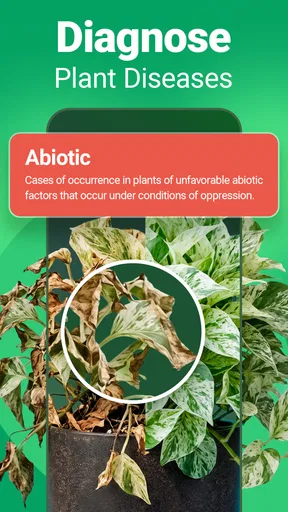
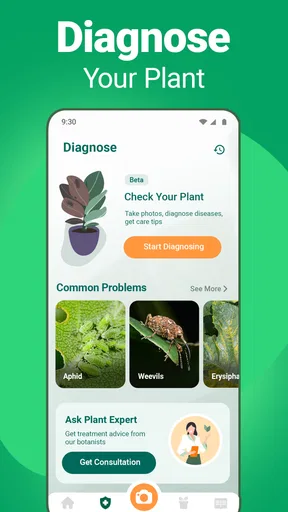
This is especially important when using the diagnosis side of a plant app. A yellow leaf can have several possible causes, and a photo alone may not show watering habits, light exposure, soil condition, or recent changes in the room. I find it more useful to note what has changed around the plant and use an app’s guidance to decide what to inspect next, rather than make several care changes at once. Changing one thing at a time makes it easier to notice what actually helps.
When a problem may be outside the app
Not every failed scan points to a technical fault. A young plant may not yet have the distinctive features needed for a confident match, and damaged, dusty, or tightly curled leaves can make identification harder. Similar-looking species can also be difficult to separate from a single image. In those situations, I would gather a clearer view, compare more than one part of the plant, and avoid treating an uncertain match as a firm diagnosis.
There is also a difference between learning general care and resolving a serious plant problem. If a plant is rapidly deteriorating, or if the suggested cause does not fit what you can observe, use Plantum as one source of ideas rather than as the final authority. A knowledgeable gardener or a reliable plant reference may be a better next step when the stakes are higher. That is not a weakness unique to this app; it is a limit of trying to assess a living plant through a picture.
Subscription expectations are worth checking before you get attached to a particular tool. Plantum includes in-app purchases ranging from $0.99 to $59.99 per item, so some paid options may cost more than a casual user wants to spend. I’d begin with the free experience and decide whether the parts I actually use justify any purchase. The app’s release date was September 21, 2020, and it has continued to version 3.16.4; for me, the more important question is whether its current workflow suits my needs, not how long it has been available.
Discovering the Green World
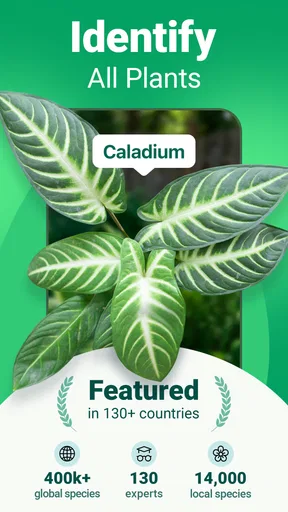
When I first downloaded Plantum - Plant Identifier, I was curious yet skeptical. Could an app really tell me what plant I’m looking at just by snapping a picture? Spoiler alert: it can. The app's interface is sleek and super user-friendly, making it a breeze to navigate. You open it up, point your camera at the plant, and click. Just like that, it works its magic and identifies the plant species. It’s like having a botanist in your pocket!
Features That Stand Out
What truly sets Plantum apart is its extensive database. The app recognizes a vast variety of plants, from common houseplants to exotic species you might not even know exist. Once it identifies the plant, it gives you a treasure trove of information. You’ll find details about the plant’s care, origin, and even its scientific name. This is a goldmine for plant lovers or anyone trying to keep their green friends alive.
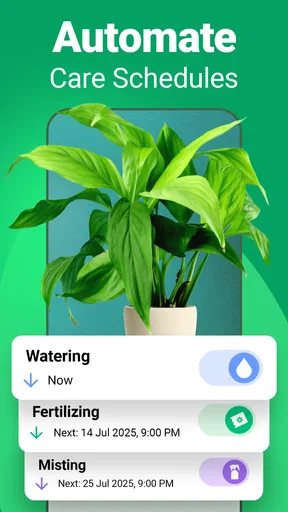
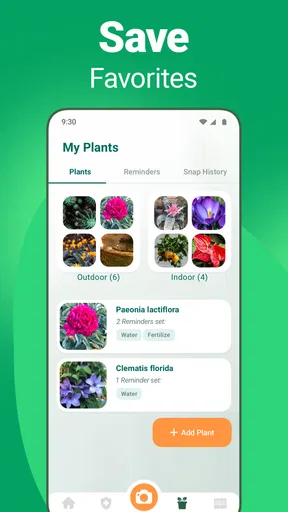
Plantum also offers a plant care guide. This feature is a lifesaver if you’re like me and tend to forget when you last watered your plants. It sends you reminders, so your plants stay happy and healthy. Plus, the app provides tips on fertilizing and repotting, which is pretty handy if you’re nurturing a mini jungle at home.
Learning and Growing
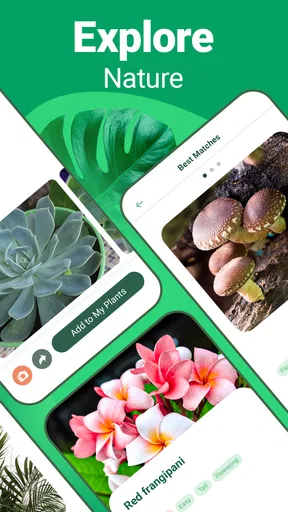
Using Plantum isn’t just about identifying plants; it’s about learning. I found myself getting sucked into the app, reading about plants I never knew existed. The app encourages you to explore and expand your plant knowledge. It’s educational yet entertaining, kind of like a nature documentary but interactive. The more you use it, the more you appreciate the diversity of our green planet.
Another neat feature is the community aspect. You can connect with other plant enthusiasts, share your discoveries, and even get advice. It feels like joining a club where everyone speaks plant.
Where It Could Improve
No app is perfect, and Plantum has its quirks. Sometimes, the identification isn’t spot-on, especially if the photo quality isn’t great. It’s a reminder to make sure your pictures are clear and well-lit. Also, while the free version is pretty robust, some features require a subscription. If you’re a casual user, you might find everything you need without upgrading, but hardcore plant lovers might want the full package.
Making the advice useful at home
The strongest everyday use case, in my view, is a quick check that leads to a better question. Imagine bringing home a plant from a friend, then using an identification result to learn what kind of care information to look for. Rather than immediately following every suggestion, I’d compare it with the plant’s current setting: how much light reaches it, whether the pot drains, and how the leaves look over several days. That turns the app from a one-tap answer into a small learning tool.
For a walk or a garden visit, I would save the moment by taking a clear picture while the plant is in front of me, then read more about it later. That is more useful than trying to remember details from a quick glance. For indoor care, reminders can help establish a routine, but I would still check the soil and the plant before watering. A reminder is a prompt to inspect, not an instruction to water regardless of conditions; schedules that ignore a plant’s actual state can create their own problems.
How it fits beside other plant resources
Compared with searching the web manually, Plantum offers a more direct path from an image to a possible name and related care information. That convenience is valuable when I don’t know what words to search for. A general image search can return lookalikes without explaining why one match is more plausible, while a dedicated field guide may offer better context but asks me to recognize the plant’s features first. I see the app as a bridge between those approaches: fast enough for an initial clue, but best paired with observation and a second source when precision matters.
It is not the right choice for every plant question. If I already know the species and need highly specific cultivation advice for a local climate, a specialist book or experienced local grower may be more relevant. Likewise, someone who only wants a name once in a while may not need a paid plan or a care routine inside an app. The free option makes it reasonable to try, but the purchase range means I would check what is included before paying and avoid upgrading just because a feature sounds appealing.
Small habits that improve the experience
I’d keep a simple record outside the scan itself: the date I noticed a symptom, the location of the plant, and any recent move or care change. This is useful because plant problems often develop gradually, while a single image captures only one moment. If a diagnosis suggestion changes after a new photo, that record can help me judge whether the plant has genuinely changed or whether the first image was simply less informative.
For a plant with several affected leaves, photographing a healthy-looking area as well as the damaged one can provide helpful context. I would also avoid composing the picture around a dramatic blemish alone; the overall leaf and plant structure may be more informative. These are simple adjustments, but they reduce the temptation to treat one scan as a complete explanation. The result is more likely to support a sensible next step, even when it does not settle the question.
Who will get the most from it
I think Plantum is best suited to curious beginners, casual gardeners, and houseplant owners who want a convenient way to identify unfamiliar greenery and build a basic care routine. It can also be enjoyable for families exploring plants together, since a name and a short read can turn an ordinary walk into a small learning moment. People who already know their collection well may still appreciate quick identification, but they are less likely to need the educational side as often.
I would skip it if I needed guaranteed species-level certainty, professional diagnosis, or a substitute for learning how to assess a plant’s environment. It is also less compelling for someone who dislikes reminders, subscriptions, or checking an answer against what they can see. The key distinction is expectation: as a handy guide that narrows possibilities, it has a clear role; as an unquestionable authority, it does not.
Final Thoughts
In the end, Plantum - Plant Identifier is a fantastic tool for anyone looking to deepen their relationship with plants. Whether you’re a green thumb or just starting your plant journey, this app is like having a plant encyclopedia at your fingertips. It’s fun, informative, and incredibly useful. If you haven’t tried it yet, give it a go. Your plants will thank you!
My practical verdict
For me, the appeal is the combination of quick recognition, learning material, diagnosis and care guidance in one place. I would start with a photo that shows the plant clearly, use any result as a working answer, and let the care guidance inform rather than dictate what I do next. That approach makes the app more useful and avoids one of the common traps of plant care: reacting too quickly to a single clue.
Plantum is free to try, but it is not wholly free of spending decisions, and its photo-based answers need a bit of judgment from the person holding the phone. Those are fair trade-offs for a casual reference tool. If you want a friendly way to turn plant curiosity into better-informed care, I’d recommend giving it a try; if you need specialist certainty or already rely on trusted local expertise, another resource may serve you better.
Verdict
Strengths of Plantum - Plant Identifier
- Accurate plant identification features.
- User-friendly interface and navigation.
- Extensive plant care tips included.
- Regular database updates ensure accuracy.
- Offline mode available for remote use.
Limitations of Plantum - Plant Identifier
- In-app ads can be intrusive.
- Limited free features; premium needed.
- Occasional misidentification reported.
- Requires significant storage space.
- Customer support response time varies.
Other Releases by AIBY Inc.
View All
ChatOn - AI Chat Bot Assistant
Productivity4.5

Fonts Art - Keyboard Fonts
Personalization4.5

Themify: Theme & Icon Changer
Personalization3.7

Coin ID - Coin Identifier
Tools4.3
Similar Picks in This Category
View All
Duolingo: Language Lessons
Duolingo4.7

Google Classroom
Google LLC2.8

Unacademy: Learn & Crack Exams
Unacademy3.2

Bible App for Kids
Life.Church4.4

Cake - Learn English & Korean
Cake Corp.4.7

Brainly: AI Homework Helper
Brainly4.5
Frequently Asked Questions
What is Plantum - Plant Identifier and how does it work?
Plantum - Plant Identifier is an app designed to help users identify plants, flowers, and trees using their smartphone camera. Simply take a photo of the plant you want to identify, and the app will analyze the image and provide detailed information about the plant species, care tips, and more.
Is Plantum - Plant Identifier free to use?
Plantum offers both free and premium versions. The free version provides basic plant identification features, while the premium version unlocks additional benefits such as unlimited identifications, detailed plant care guides, and access to a plant disease identifier. Users can choose a subscription model that best suits their needs.
What devices are compatible with Plantum - Plant Identifier?
Plantum is available for both Android and iOS devices. Users can download the app from the Google Play Store or Apple App Store. It’s recommended to have the latest OS version for optimal performance, though the app supports older versions as well.
Can Plantum - Plant Identifier be used offline?
While Plantum primarily requires an internet connection for plant identification and updates, some features may be available offline. For example, users might access previously identified plants or saved care guides. However, for the most accurate and comprehensive plant identification, a stable internet connection is recommended.
How accurate is Plantum - Plant Identifier in identifying plants?
Plantum uses advanced image recognition technology and a vast database of plant species to provide accurate identifications. While it is highly reliable, factors such as image quality, lighting, and plant condition can affect results. Users are encouraged to take clear, well-lit photos for the best accuracy.
